LOG 00314 OCT 20267 MIN READAdministration and management
Anyone can automate, not everyone can maintain
Almost every service company would like a completed job sheet to reach the accounts without anyone retyping it, and the tools to make that happen are often already at hand. Choosing between clicking something together and having it programmed looks like a technical decision. Look past the handover, however, and it turns out to be mostly about who will still make sense of the automation three years from now.
What is happening
Automating with building blocks
Power Automate, Make and Zapier are what are known as low-code tools: programs in which an automation takes shape without a single line of code being written. Such an automation, known in the trade as a flow, always starts with an event that sets things in motion, the trigger, followed by one or more actions. "As soon as a job sheet is completed, fetch the hours and prepare a draft invoice." On screen, it appears as a row of blocks linked by arrows.
These days, even that diagram need not be drawn by hand. In Power Automate, a description in plain language will do, and Copilot, Microsoft's AI assistant, produces the outline of the flow. Building has become almost effortless. The upkeep that follows has not, and no assistant will take that off anyone's hands.
One label for very different work
The label low code covers work of widely varying scale. At one end sits the flow a planner puts together on a Friday afternoon: an attachment from an email that lands in the right customer folder by itself, or a message in Teams for every emergency callout. Modest in ambition, and easy for a colleague to follow.
At the other end are projects of a different order altogether, in which an entire business process, exceptions and all, runs in Power Automate. What that looks like in practice is described in the case on the reporting process that Captain Workflow set up for Bolier on the Power Platform.
That is custom development, built on a low-code platform, and it undermines a stubborn either-or. Custom describes the solution: tailored to one specific process. Low code or code describes the tools it was built with. An automation can perfectly well be both.
How the bill comes about
Each of the three charges in its own way. Power Automate is partly included in Microsoft 365, though only with the standard connectors. As soon as a flow uses a premium connector, a custom connector or a direct web connection, a paid licence is required, per user or per flow. Zapier charges per successful action, with the trigger itself left out of the count. Make works with credits, usually one per step executed. With a programmed solution, those per-step costs disappear; in their place come hours for building and maintenance, plus a server for the code to run on.
What it means for technical service
One job sheet, and everything that can go differently
Take an installation company with twenty engineers and, let us assume, some forty completed job sheets a day. The intended route is simple enough to sketch: the engineer completes the job sheet in the app, hours and materials go through to the accounting system, a draft invoice is created there and the customer receives a pdf. For that route, a low-code tool is an excellent fit.
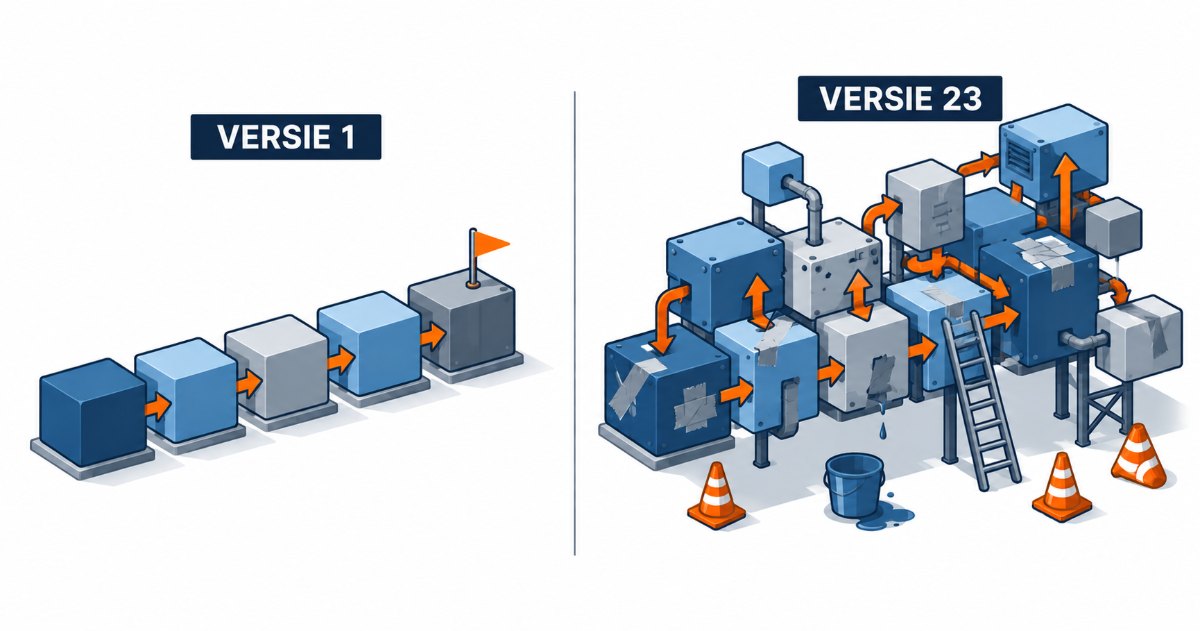
The real work is in the job sheets that do not follow the script. A maintenance visit falls under a service contract and must not be invoiced separately. Materials were used that are missing from the item list. A new customer has not been given a customer number yet. Or the job is not finished and needs a follow-up visit. Every exception adds a branch to the diagram, one that somebody has to devise and that somebody else must still be able to follow a year later.
FIG. 01The normal route of a job sheet is quickly built; the real work lies in the exceptions that branch off it.
Costs grow steadily with success. Forty job sheets a day over 21 working days comes to 840 runs a month. At four paid steps per run (fetch hours, fetch materials, create invoice, send pdf), Zapier counts 3,360 tasks a month, more than four times the allowance of the smallest paid plan. Manageable, as long as it stays there; every new branch and every extra job sheet pushes the bill further up. (Indicative calculation; the numbers of job sheets and steps are assumptions.)
What goes wrong after the handover
The real test usually begins only after the handover. Microsoft itself lists several pitfalls. A flow becomes orphaned when its maker leaves without a co-owner having been appointed. A flow whose trigger or actions fail for fourteen days in a row is switched off automatically, as is a flow with premium components but no valid licence. Make rolls back a failed run if no error handling has been set up. Without an alert in place, nobody notices until the accounts department asks where last week's invoices have gone.
With code written by an outside party, the risk lies elsewhere. An accounting package changes its connection, or a new type of contract appears that the automation needs to follow. If nobody in-house can read the code, all that is left is a phone call to the developer, in the hope that they are still in business and have time. The speed with which an outside developer once delivered is traded, with every change, for time spent waiting.
This is where low code holds a genuine advantage. A diagram of blocks can be read by far more people than a folder full of program code, and Copilot will explain an existing flow in plain language on request. Taking over someone else's work becomes less daunting. Low code is therefore easier to maintain, provided the maintenance actually lands on somebody's desk.
Towards a verdict
Who builds what?
Colleagues can safely build anything small in scale that stays within their own team and affects no customer or invoice if it stops for a day. Two ground rules come with that: every flow has a second owner, and anything that becomes business-critical moves to a fixed environment with a general service account as its owner.
A specialist, from within or from outside, comes into the picture as soon as an automation touches money or customers, such as the job sheet that becomes an invoice, or as soon as the exceptions no longer fit on one screen. At that point, experience with error handling and licensing matters more than speed.
Which leaves the question of what platform that specialist should build on. For a company that already works with Microsoft 365, handles hundreds to a few thousand transactions a month and wants to run the upkeep itself in the long term, the Power Platform is the obvious choice. Code becomes attractive with very high volumes, compute-heavy processing, per-user licensing that proves too costly, or input screens that go beyond what Power Apps can reasonably handle.
FIG. 02From a flow in the office to custom code: every form comes with the same question.
Do it yourself
Large low-code project
Custom code
Who builds
Office colleague
Specialist, in-house or external
Developer, often external
Suited for
Small steps within a team
Business-critical processes with exceptions
High volumes, heavy computing, custom input screens
Upkeep
The maker; at risk when they leave
Fixed environment, service account, documentation
Whoever can read the code
Costs
Often within Microsoft 365 or a small plan
Licences per user or per flow, plus build hours
Build and maintenance hours and a server; no per-step costs
Dependency
The platform and one colleague
The platform and, until handover, the builder
The builder, as long as nobody in-house reads the code
Transferable
Easy, provided there is a second owner
Good, if the handover is part of the agreement
Difficult without an in-house developer
TABLE 01Three ways to automate, side by side.
Choose the platform in advance
Before any of these considerations comes a more fundamental question: is the choice made automation by automation, or once? We argue for the latter, laid down as policy, with room for a well-founded exception. A company that chooses afresh for every project ends up, a few years on, with a patchwork of flows, scripts and connections that nobody can keep track of.
Such a policy need not stand in the way of a first exploration. An idea can be proven wherever that is quickest; the version that stays should live where the organisation can maintain it itself.
Captain Workflow is itself one of those outside parties, which makes this position all the more binding. Handover belongs in the agreement: documentation, clear ownership of the code or the flows, and an environment in which an in-house administrator can take over the work. An automation that only runs as long as its builder is available is a dependency with an invoice attached.
VERDICTAPPLICABLE NOW
Low code is mature enough for most administrative connections in technical service, from a modest flow in the office to an extensive business process. The hype lies in the promise that anyone can build anything themselves. It only becomes useful with a settled choice of platform, a clear line between what colleagues build themselves and what a specialist takes on, and firm agreements on who will maintain it later.
Microsoft Learn, Limits for automated, scheduled, and instant flows (switched off after 14 days of failures or without a premium licence; premium components).learn.microsoft.com/power-automate/limits-and-config
Indicative prices (September 2026): Power Automate Premium costs $15 per user per month at Microsoft's list price, a Process licence $150 per flow per month. Zapier Professional starts at 750 tasks for $19.99 per month with annual billing. Make charges with credit bundles per plan; current prices at make.com/en/pricing.
Want to discuss this topic?
A short message or just an email address is enough. You will get a reply within two working days.
✓ SENT
Your message has been received. You will get a reply within two working days.